
Overview
One of the most common questions in training is "will Matrix email me, or do I have to log in and check?" Matrix tells you things in three places, and it helps to know which is which:
- Your inbox, for a handful of important events.
- The notification bell in Matrix, for reminders about documents you have sent out and emails still waiting on a reply.
- Your dashboard, for your day-to-day activities and traces.
Most day-to-day work still lives on your dashboard rather than in your inbox. This page explains what turns up where.
What sends you an email
- A new lead is assigned to you. The assignee gets an email right away so a fresh lead never sits unseen.
- A lead is reassigned to you. If a teammate passes you a lead, you are notified.
- A client replies to an email you sent from Matrix. The reply is logged on the record in Matrix and also lands in your normal inbox.
- A contract you sent is signed. The opportunity owner is notified when a document is completed.
- A contract could not be delivered. If an e-signature email bounces, you get an alert so you can fix the address.
- A credit card authorization completes or fails. If your property sends CC Authorization Forms through Sertifi, the opportunity assignee gets an email when the card is authorized, and another, with the reason, if it is declined, expires, or the payment fails. See CC Authorization Forms.
Two more emails leave Matrix, but you decide who gets them rather than receiving them automatically:
- A Rate Load Request. When you send one from an Opportunity, you choose the recipients on the request itself. It arrives from
noreply@matrix.m1intel.com. See Rate Load Request. - A scheduled report. Reports set up under Reports > Scheduled Reports arrive on the cadence you choose.
In-app notifications: the bell
Matrix has a bell in the top bar, to the right of the main navigation. It carries an indicator when you have unread notifications, and clicking it opens your notification list, newest first.

Every notification shows when it arrived, a short summary, and a link straight to the record it is about, so you can go from the reminder to the document in one click.
The list has two controls:
- Unread only filters the list down to what you have not read yet.
- Clear read removes everything you have already read, in one action.
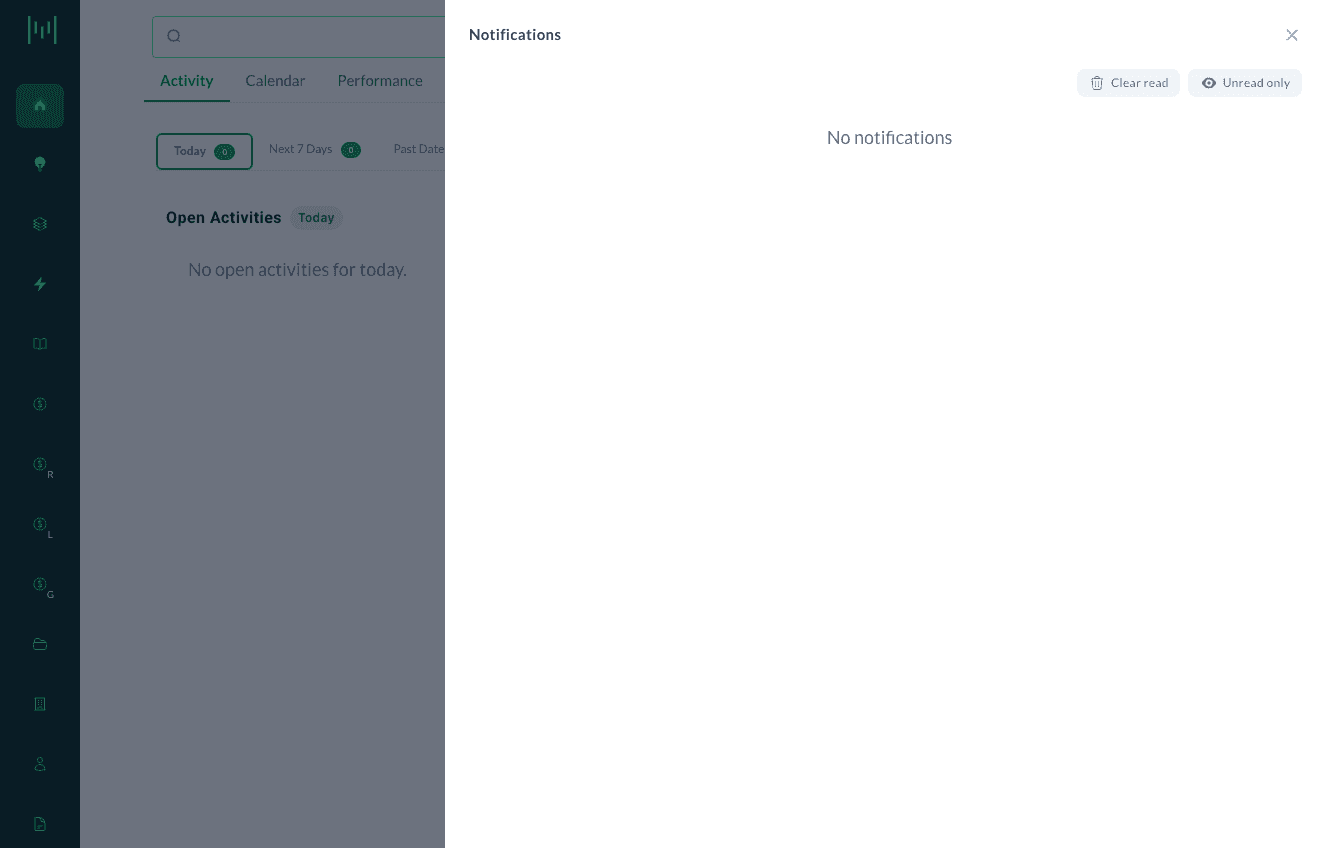
Opening a notification marks it as read. There is no way to delete a single notification, and read notifications are cleared out automatically after 30 days. Unread ones stay until you deal with them, however old they get.
These never email you. The bell is the only place these reminders appear. Nothing in this section adds to your inbox.
What the bell reminds you about
The bell reminds you about two kinds of things that have gone quiet: documents you have sent, and email conversations.
Documents you have sent:
- A signed document is waiting on your counter-signature. The client has signed and nobody has counter-signed. You get this after it has been waiting for more than a day.
- A document you sent for signature has not been signed. You get this four days after sending, if the document has not been signed, rejected, or returned as undeliverable in the meantime.
- A document you sent has not been opened. You get this two business days after sending, if the recipient has not opened it. Business days skip weekends; public holidays count as working days.
Email:
- An email you sent has had no response. You get this five days after sending, if no reply has come back. It names the recipient and subject and shows a snippet of your email.
- An email you received is still waiting on your reply. You get this two business days after it arrived, if you have not replied. It names the sender and subject and shows a snippet.
Each of these arrives once per document or email. Matrix will not keep re-reminding you about the same one, and each links straight to the document or email it is about.
The not-opened reminder only covers documents sent for signature through Matrix. If you attached a file and sent it directly, Matrix has no way to know whether it was opened, so no reminder is produced.
You only ever see your own notifications.
What only shows on your dashboard
- Opportunities assigned to you do not trigger an email. They appear in your pipeline and on your dashboard.
- Activities and traces (tasks, follow-ups, deposit reminders) do not email you. They appear on your Activity tab, grouped into Today, Next 7 Days, Past Dates, and Missing Info.
Because these do not push to your inbox, the habit that matters most is simple: open your dashboard every day. See Navigating Matrix for how the Activity tab works.
"Will I get reminded if I do not log in?"
For your activities and traces, no. Matrix does not chase you about a task you have not looked at, and it does not email you about one. Your dashboard is the reminder engine for your own work.
For documents you have sent out and emails waiting on a reply, yes, but the reminder waits for you on the bell inside Matrix rather than arriving in your inbox. So it still only reaches you when you log in.
That is the practical point behind both: nothing in Matrix pushes at you from outside the app except the emails listed at the top of this page. If you want something delivered without logging in, the Sales Readout can be scheduled to arrive on a cadence you choose (see The Sales Readout).
Key takeaway
Leads reach out to you by email so nothing is missed. Documents you have sent, and emails waiting on a reply, chase themselves up on the bell. Everything else (opportunities, activities, follow-ups) waits for you on your dashboard. Build a daily check of both into your routine and nothing slips.
Questions? Email support@m1intel.com