
Overview
Almost everything you do in Matrix is filtered by two things: the scope you are viewing (all your hotels, a portfolio, or one property) and the dashboard you land on when you log in. Getting comfortable with both is the fastest way to feel at home in the system.
Global vs. Property View
At the top of Matrix there is a scope selector that controls what data every page shows.
- Global shows data across every property you have access to. As long as you stay on Global, each page (leads, opportunities, activities, reports) reflects all of your hotels at once.
- Portfolio narrows to a named group of properties, if your portfolios are set up.
- Single property drills into one hotel. Choose a property and the whole system reflects just that hotel until you change scope again.
Use the Reset control to clear filters and return to your default view.
A few notes from training:
- Global is great for a bird's-eye view, but with a large portfolio it can get busy. Drill into a property when you want to focus.
- A small number of reports (for example group pace and the group rooms roll-up) only run at the property level and will prompt you to pick a single hotel.
Your Dashboard
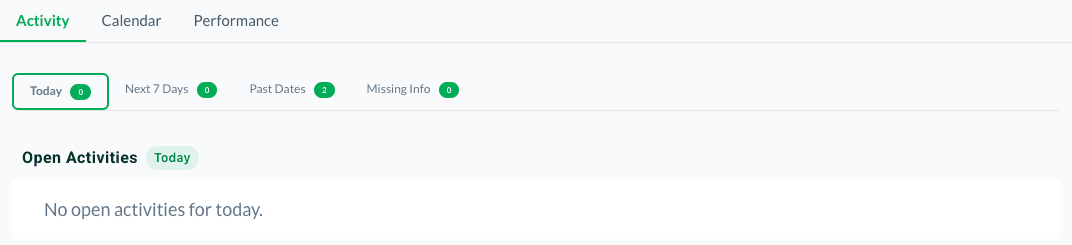
When you log in you land on your dashboard, which has three tabs.
Activity tab
This is your place to start the day. It shows the activities assigned to you, grouped into Today, Next 7 Days, Past Dates, and Missing Info (items that still need details filled in). Matrix does not send a push reminder if you never log in, so the Activity tab is your daily to-do list. Check it every morning.
Calendar tab
The calendar shows your scheduled work in a monthly, weekly, or function-space view. Client-meeting activities and group opportunities appear here so you can see what is happening at a glance. Hover a card for quick detail, and use the stage filters to focus on the opportunities you care about.
Performance tab
The Performance tab visualizes progress against goals. If goals are set for a user (for example a target number of sales calls per week), this tab compares actuals to those targets.
Tips
Know your scope before you read a number. If a report looks empty or surprising, check whether you are on Global or a single property.
Start on the Activity tab. It is the closest thing Matrix has to a daily task list, since reminders live on your dashboard rather than in your inbox. See How Matrix Notifies You for what does and does not email you.
Questions? Email support@m1intel.com