
Overview
If you want to use an existing contract template as the starting point for a new one, for example copying a template from one property to use at another, you can duplicate it directly from the Templates menu. This is faster than building a new template from scratch.
Template management requires Subscription Admin access. Templates appears in the left sidebar at the Global scope. If you don't see it, switch your scope to Global, or check that you have the Subscription Admin role.
How to Duplicate a Contract Template
- Navigate to Templates in the left sidebar
- Locate the template you want to copy
- Click the ellipsis (…) icon on the template
- Select Duplicate
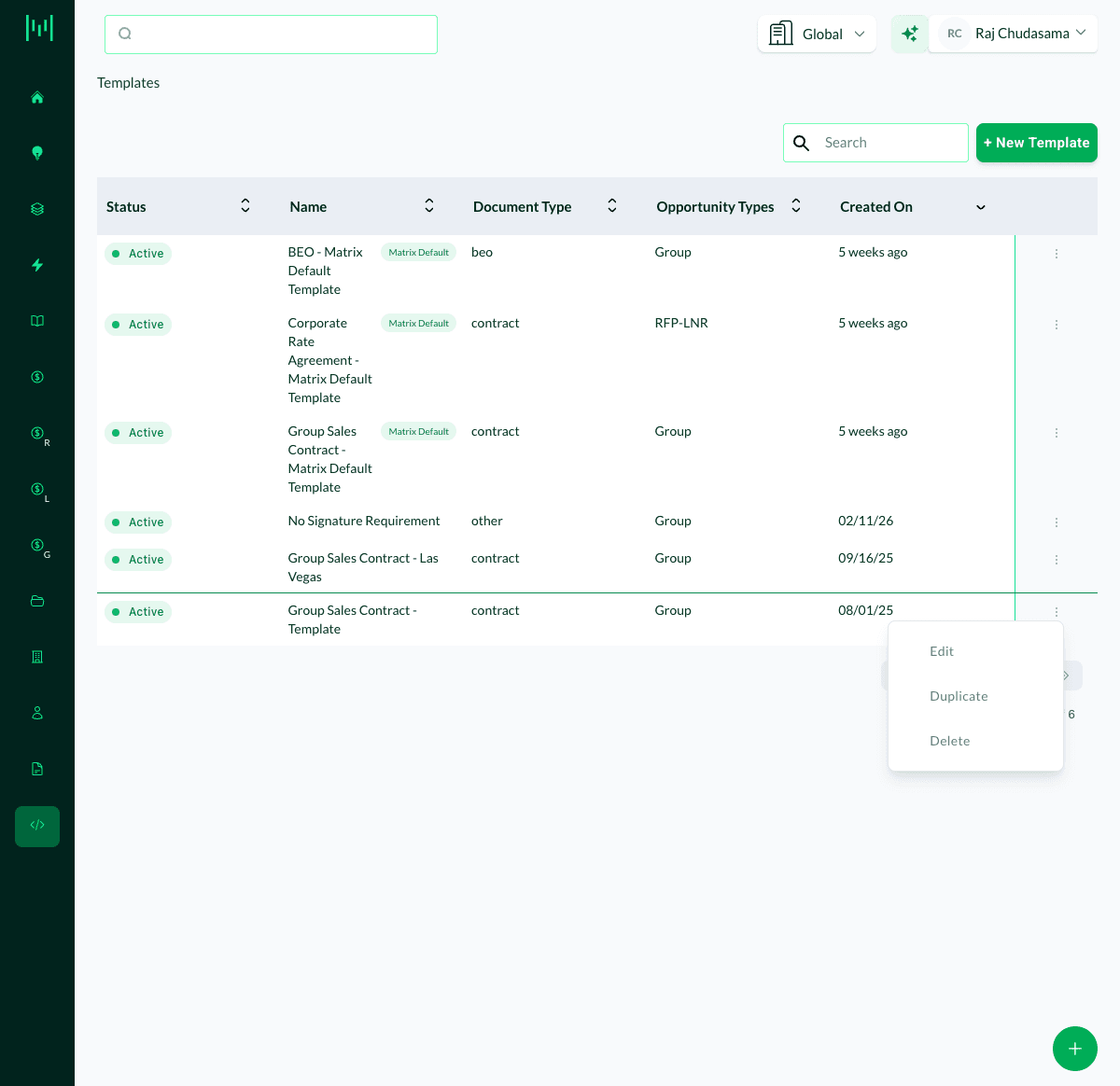
The duplicated template will appear in your Templates list with the same name. Rename it and make any property-specific edits before using it.
Tips
Rename the copy immediately. The duplicate will have the same name as the original. Rename it right away to avoid confusion, especially in a multi-property environment where templates may look similar.
Review the content before use. After duplicating, open the template and check that any property-specific details (hotel name, address, contact info, terms) reflect the correct property before generating contracts from it.
Related
Questions? Email support@m1intel.com