
Overview
You can attach documents directly to an Opportunity, such as a signed contract, rate load instructions, or any supporting file. Keeping documents on the Opportunity means everything for that deal lives in one place, with status and tracking visible to your team.
How to Upload a Document
- Open the Opportunity
- Go to the Documents tab
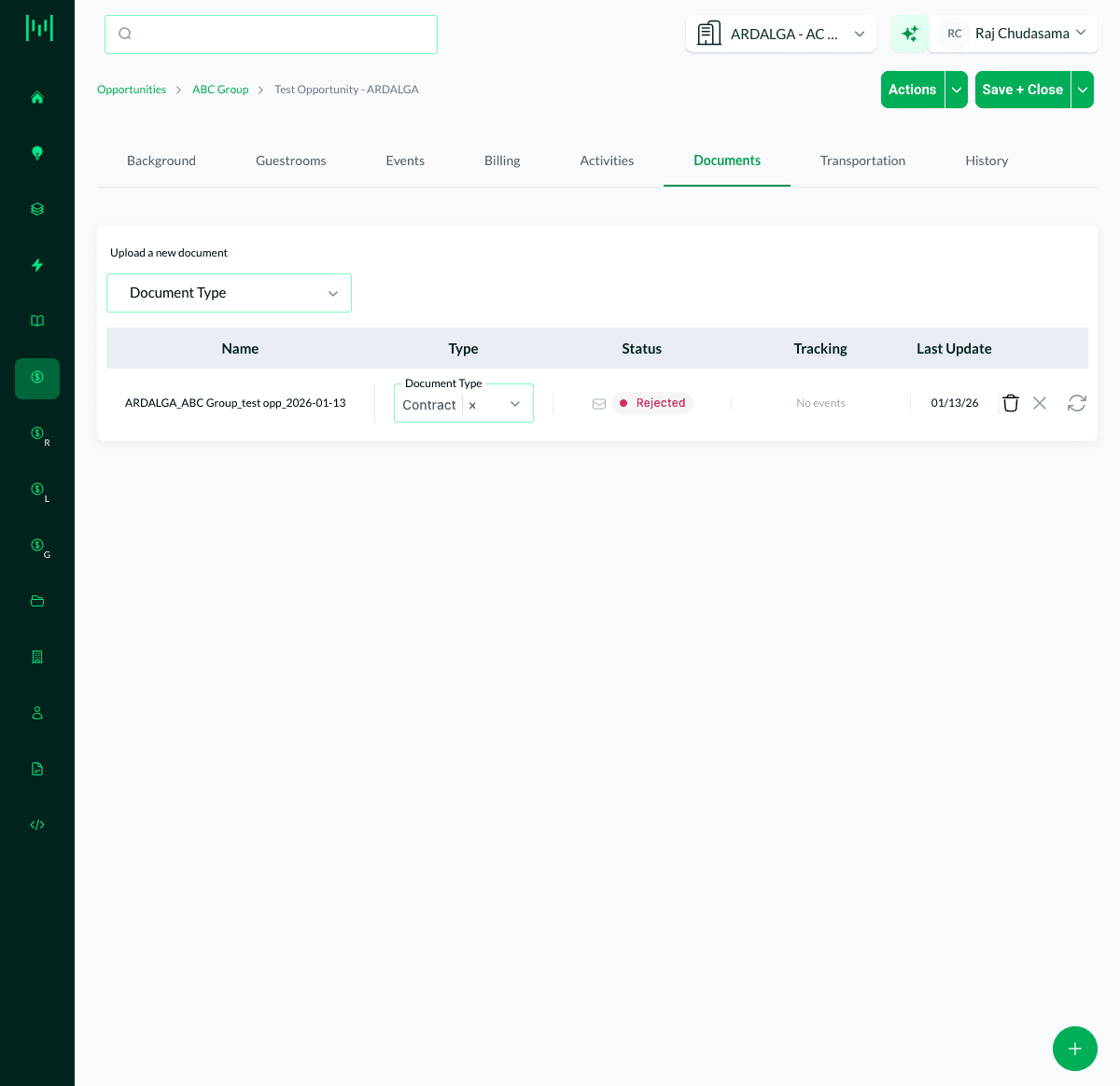
- Under Upload a new document, choose the Document Type (for example, Contract or Rate Load Instructions)
- Upload your file
- The document appears in the list with its Name, Type, Status, Tracking, and Last Update
Why the Document Type Matters
Matrix uses the Document Type to drive behavior. For example, documents typed as Contract and Rate Load Instructions are attached to the Rate Load Request email automatically. Choosing the correct type keeps these automations working.
Tracking and Signatures
Once a document is on the Opportunity, the Status and Tracking columns show where it stands, including eSignature status (for example, sent, signed, or rejected). You can manage and re-send documents from this same tab.
Questions? Email support@m1intel.com