
Overview
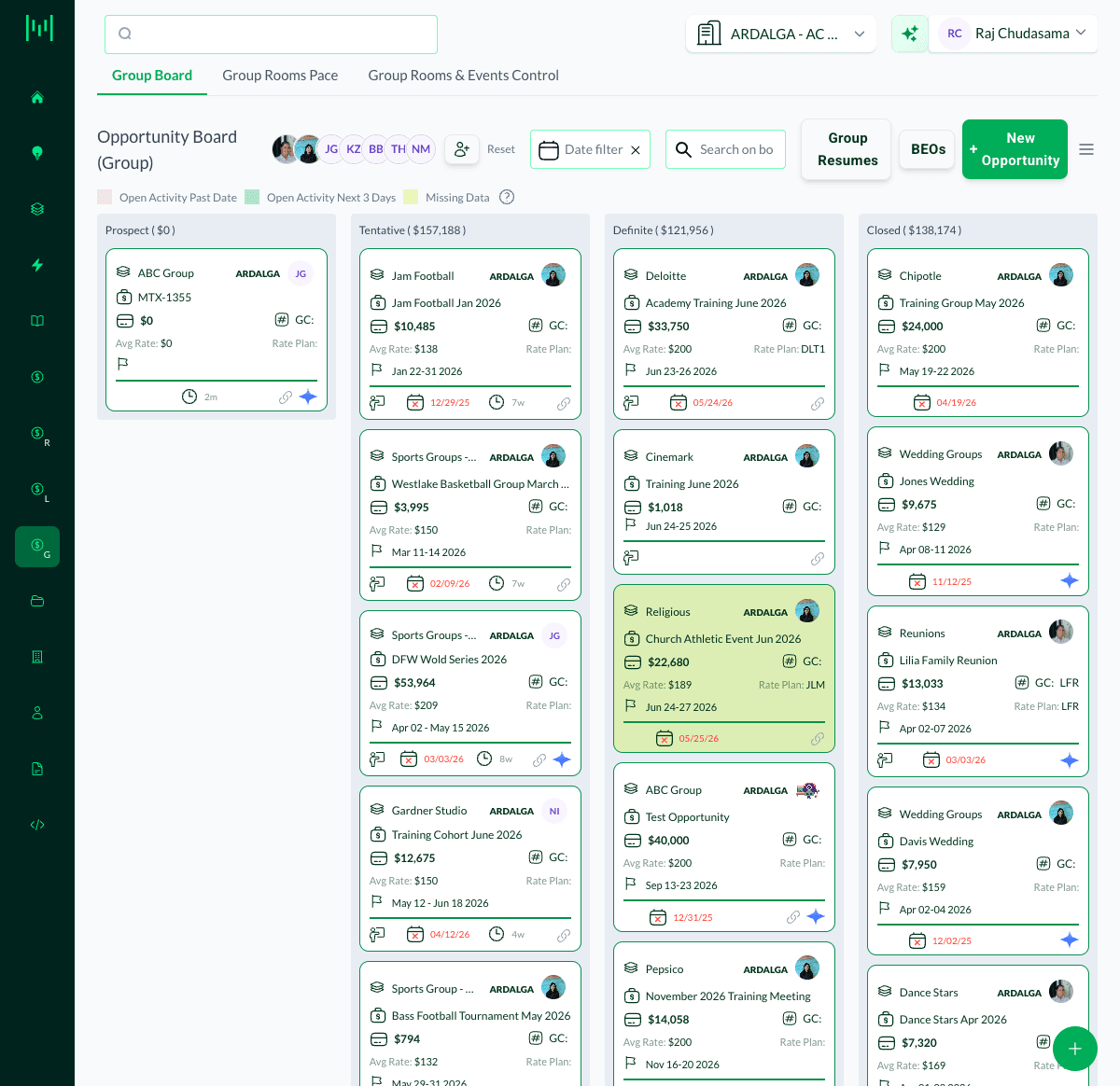
The Opportunity Boards (Group, LNR, and RFP) use color to flag opportunities that need attention, so you can see what to work on at a glance. A color legend appears at the top of every board.
What the Colors Mean
- Pink / Red (Open Activity Past Date): the opportunity has an open activity that is overdue. Work it now.
- Green (Open Activity Next 3 Days): the opportunity has an open activity due within the next 3 days.
- Yellow (Missing Data): the opportunity is missing required data (for example, an empty Guestroom Grid or other required fields).
The highlight appears on the opportunity card so flagged deals stand out in their stage column.
Filter by These Indicators
The same indicators at the top of the board act as filters. Click Open Activity Past Date, Open Activity Next 3 Days, or Missing Data to narrow the board to just those opportunities, so you can clear overdue work or fix incomplete records in a focused pass.
Also Watch Red Dates
A date shown in red on a card (such as a contract due date) flags an item that is past due. Combined with the card colors, this helps you triage the board quickly.
Questions? Email support@m1intel.com